Scrollrest · Mobile PWA MVP
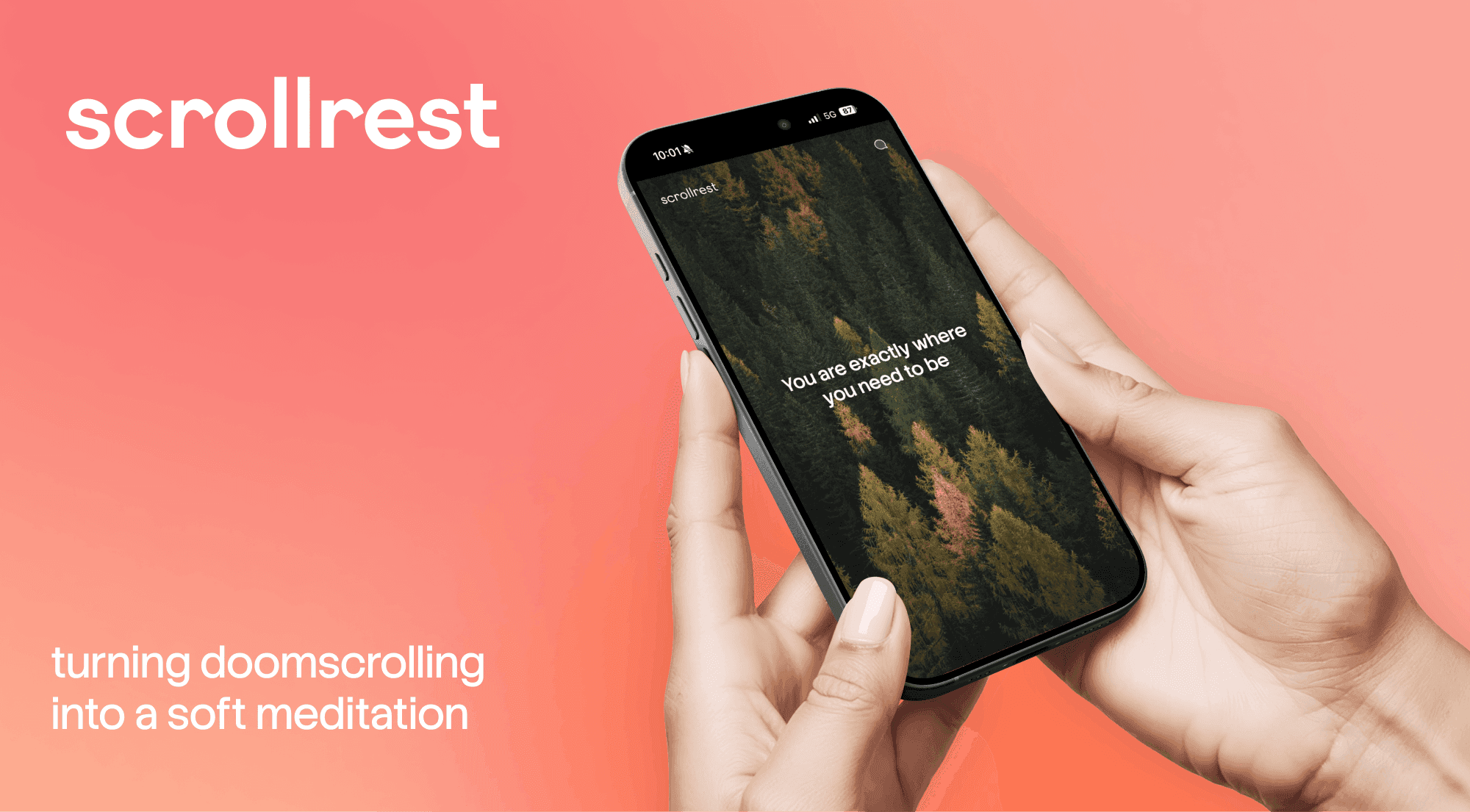
Scrollrest is a mobile‑first web experience that turns doomscrolling into a calm, positive habit: instead of noisy social feeds, it offers a simple full‑screen stream of pleasant visuals and soft, encouraging text, with no notifications, counters, or pressure to stay up to date.
Context, constraints and my role
Scrollrest started as a personal side project: I built it for myself, and then discovered that people around me also wanted it and installed it on their phones. I worked on it for about a week as a solo designer, usually 1–2 hours per day. With no dedicated budget, a mobile‑first web version was enough for the first working MVP.

Problem
When I’m tired or procrastinating, I often open social feeds “just to rest a bit” — and instead get more tension from ads, news, and messages. I wanted an “anti‑social feed” I can open on the sofa or in a queue when I’m not ready for chores or videos, but still want to scroll.
Existing solutions
Before building scrollrest, I looked at nearby products. I had the Scrollpatch app on my phone for months, but rarely opened it — the content felt too flat to really draw me in. I also tried Fidget Widget, which worked more like a small game for a different type of user than the one I had in mind.
Hypothesis
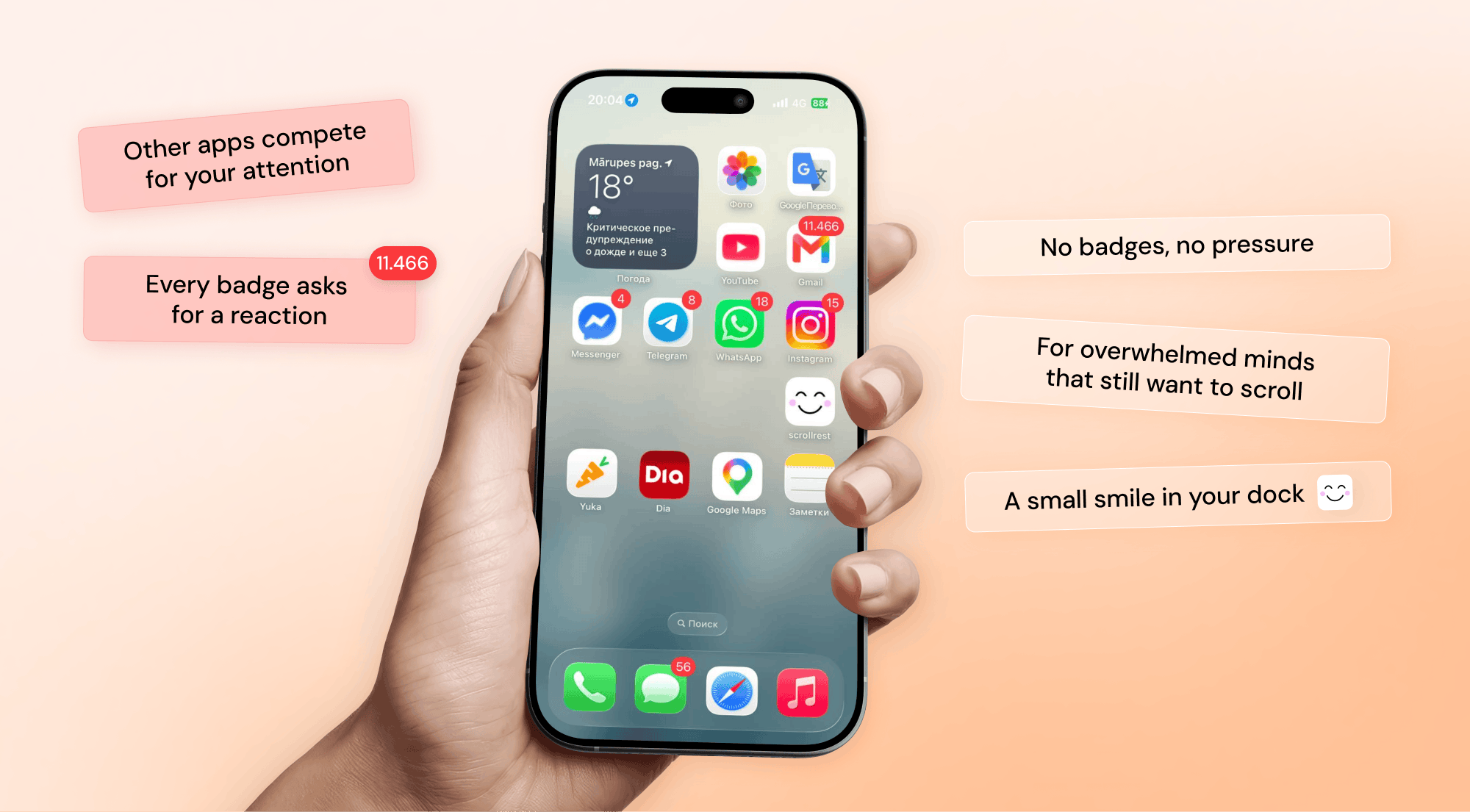
If I create a scrollable feed of only pleasant visuals and occasional light motivational texts, with a gentle reminder that life exists outside the phone, users can relax and clear their minds while staying in their familiar “scrolling on my phone” pattern.
JTBD
When I’m waiting in a queue, I want to scroll on my phone without sound, so I can make the wait feel shorter without being pulled into videos or social drama.
When I’ve finished my tea in the kitchen but don’t want to jump back to my computer yet, I want to zone out on my phone without guilt or deep emotional engagement, so I can gently prepare for the next tasks.

Process
The process was fast and iterative:
Whiteboard session: defined the problem, user, context, key features and drew simple wireframes of the main flow.
Quick prototypes: used AI to generate the first HTML and layout. It worked, but the typography, image selection and overall look felt low‑quality and “AI‑styled”.
Figma design: created the main screens, tuned scroll behavior, chose typography and defined basic UI elements (logo, button, modal).
Content curation: manually moderated many options and selected 85 calm, positive images from Unsplash; chose short motivational texts that resonated with the overall tone.
Deploy and shortcut: tested the app live, added it to the home screen and saw that the simple dark icon with a letter S didn’t match the feeling of the product.
Icon design: sketched and designed a cute smiling icon that represents what scrollrest should feel like when you see it on your screen.
Ready MVP: with a working app and icon, I shared scrollrest with friends and family and started gathering their reactions.

User flow
The core flow is intentionally simple: the user opens scrollrest from their home screen and scrolls through full‑screen calm images with short pieces of text. Nothing competes for attention — the logo is subtle, there are no likes or counters, and there is only one button to share feedback.
After roughly 20 shots or about two minutes, a modal appears with a gentle nudge like “Are you ready to live your life?”, which the user can close and keep scrolling.

Content and curation
Because the emotional tone is central to the product, I manually curated 85 images from Unsplash that feel pleasant, safe to look at, and free from disturbing details. They are shown in random order so the feed stays fresh for repeat visits. For the first MVP, 85 images are enough to test the concept: scrollrest keeps the familiar scrolling habit, but is not optimised for retention and is meant to help people spend less time inside social feeds.

Live MVP and next steps
Right now scrollrest is a personal side project for myself and a few people around me: its main purpose is to give users a quiet space away from ads and social feeds. I have a couple of monetisation ideas in mind, but for now I’m focusing on improving the experience and expanding the image collection.
The MVP is live: you can open scrollrest on your phone, add it to the home screen via “Share → Add to Home Screen”, and use it as a tiny scrolling app. I’ll be glad to hear feedback — you can use the contact form in the app.
See also: